







































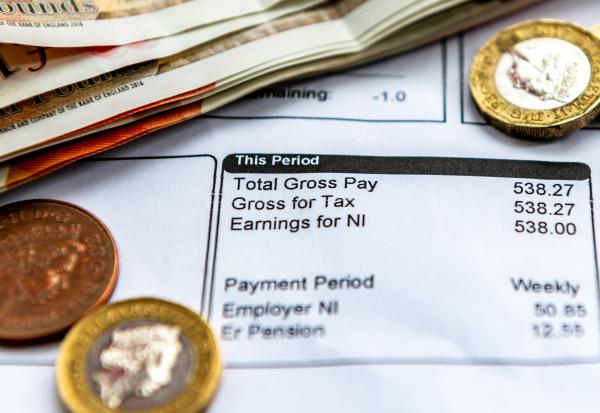
At this time of year, HMRC start to send out P800 tax reconciliation forms or PA302 simple assessment forms which reconcile the amount of tax an individual has paid under PAYE to the amount that is actually due.
How employers can help
Although most employees will have paid the correct amount of tax, employees who receive a P800 or PA302 can be worried about the over or underpayments shown in the form. Employers can help them to check their tax due or repayable, and point them to the systems to claim the repayment or explain what their options are if there has been an underpayment.
Why tax over or under-payments occur
Some common reasons for tax over or underpayments include:
- having more than one PAYE source, for example multiple pensions or employments
- moving jobs mid-year
- starting a new job without a Form P45
- working for only part of a tax year or starting to receive a personal or state pension in the tax year
- making pension contributions or gift aid payments not reflected in the PAYE code
- making expense claims after or near the tax year end
- having other sources of income such as bank interest or dividends
- receiving certain employment benefits
How to claim a tax refund or make a tax payment
Repayments are no longer made automatically by HMRC, and employees will need to claim any repayment due by either:
- logging into their personal tax account and providing their bank details,
- using the HMRC app and clicking on the claim refund button,
- using the HMRC online service or
- contacting HMRC on 0300 200 3300 and requesting repayment by cheque (although claiming digitally will result in a much swifter repayment).
To make the claim, the employee will need their National Insurance number and their date of birth.
If there was an underpayment of tax, the employee will likely have the option of having a future PAYE code adjusted to collect the tax due, or making a direct payment.
Direct payment can be made:
- using HMRC’s online service via a personal tax account
- by bank transfer or
- by cheque
If using bank transfer or paying by cheque, the reference that should be used is the employee’s National Insurance number followed by P800 followed by the start of the tax year being paid. So, for a 2025/26 underpayment, this should be in the format AB123456CP8002025.
If the amount due is over £3,000 or the employee’s salary is too low (tax collected cannot be more than 50% of salary), then HMRC will usually issue a simple assessment PA302 rather than a P800. In this case, direct payment will be the only option, but if the employee cannot afford to make the payment, they can request a time to pay payment plan. They should do this as soon as possible to avoid HMRC taking enforcement action.
Beware of tax scams
Unfortunately, scammers use phone calls, WhatsApp, TikTok, emails, QR codes and text messages which can appear to come from HMRC in an attempt to trick the unwary into transferring funds, sending gift cards or providing bank details. HMRC’s website explains what to look out for and the action to take if any details have already been shared. Any suspicious activity should be reported to HMRC using the [email protected] email.
Further information
Information is available online explaining how to access the HMRC app, and on how to set up and use a personal tax account.
This article reflects the position at the date of publication shown above. If you are reading this at a later date you are advised to check that that position has not changed in the time since.
We regularly publish articles on a range of tax and wider topical issues which affect employers. If you wish to subscribe to our monthly Employer Focus e-newsletter, please contact us.